Apps for Windows 11 & 10
Small apps that make your mouse do more.
Three lightweight tools that cut out the clicking. Flick into a corner, flick in any direction, or drop a file on a shelf, and the job's done.
Free 15-day trials · one-off price · no subscriptions, no accounts
Our apps
They're all on the Microsoft Store, so they install safely and update themselves. Try any of them free for 15 days.
CornerFlow
Hot corners for Windows, like on a Mac
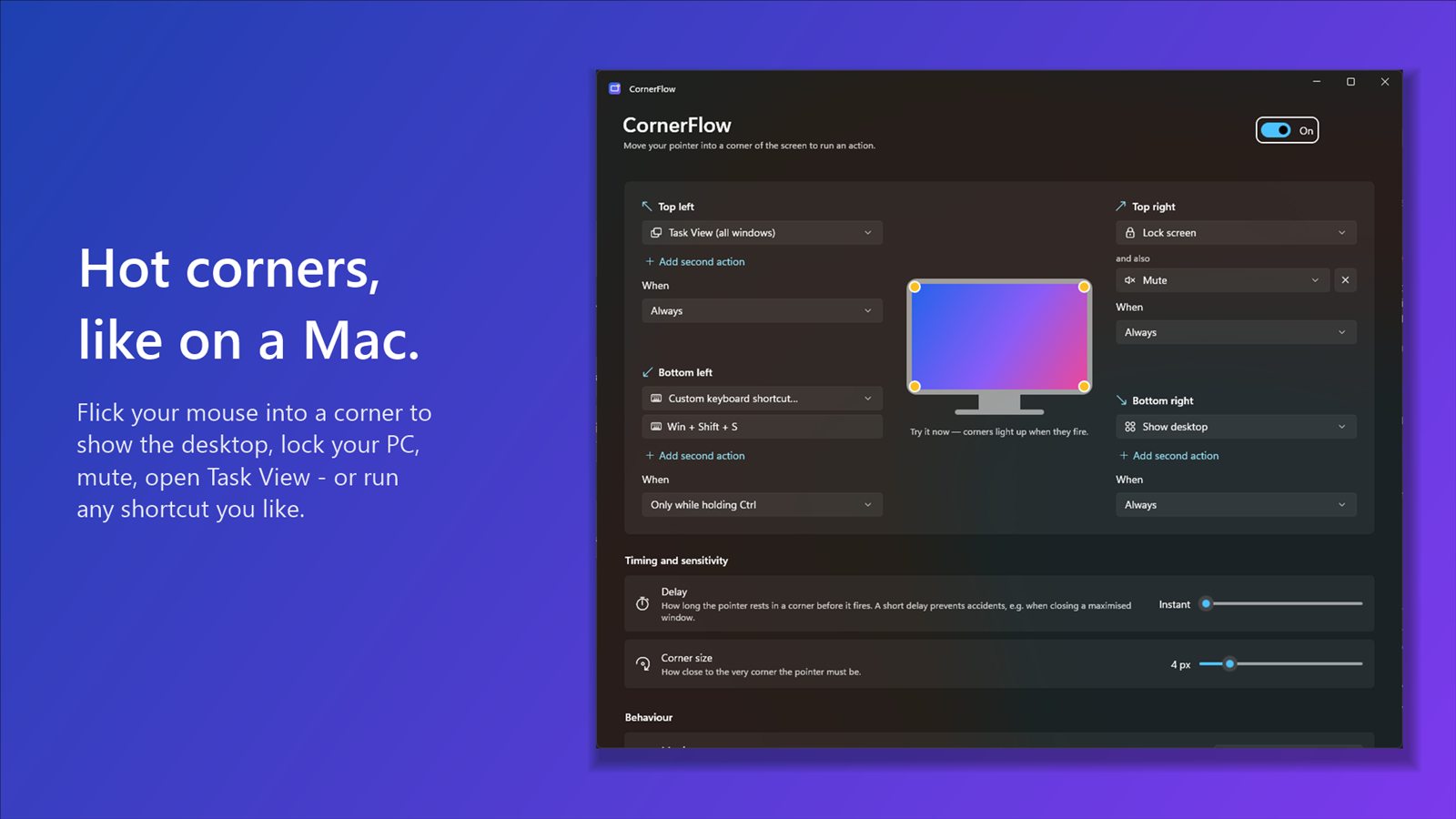
- Push the pointer into a corner to show the desktop, open Task View, lock or mute
- Two actions per corner, or any keyboard shortcut you record
- Multi-monitor aware, and pauses for games and full-screen video
15-day free trial, then £4.99 once
SpokeFlow
A ring of actions, right where your pointer is
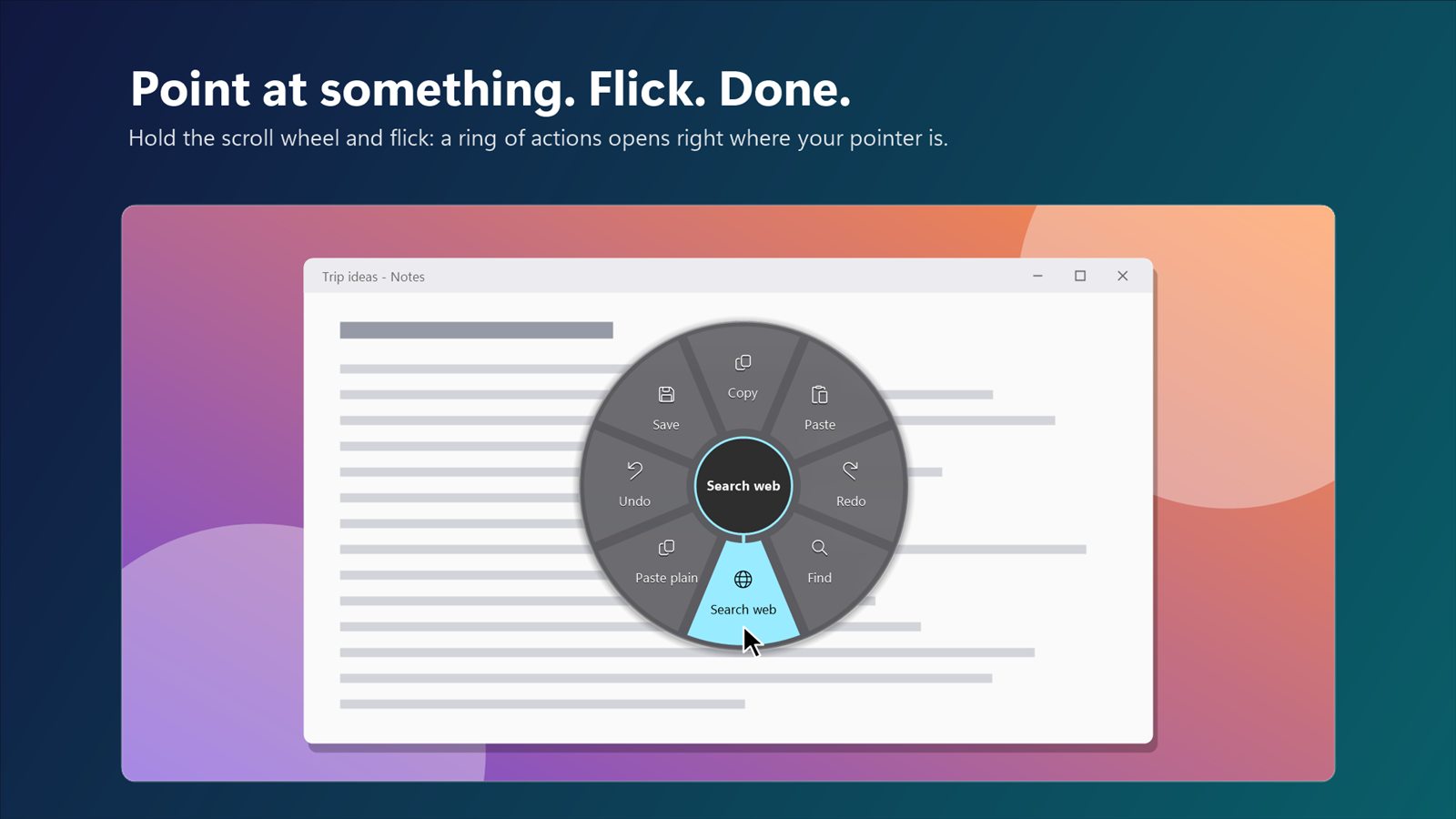
- Hold the scroll wheel and flick: copy, undo, snap a window, search the web
- The ring changes with what you point at: title bars, the desktop, the taskbar, any app
- Game, work and study modes open all your apps and sites in one flick
15-day free trial, then £7.99 once
ShelfFlow
A drag and drop shelf for Windows
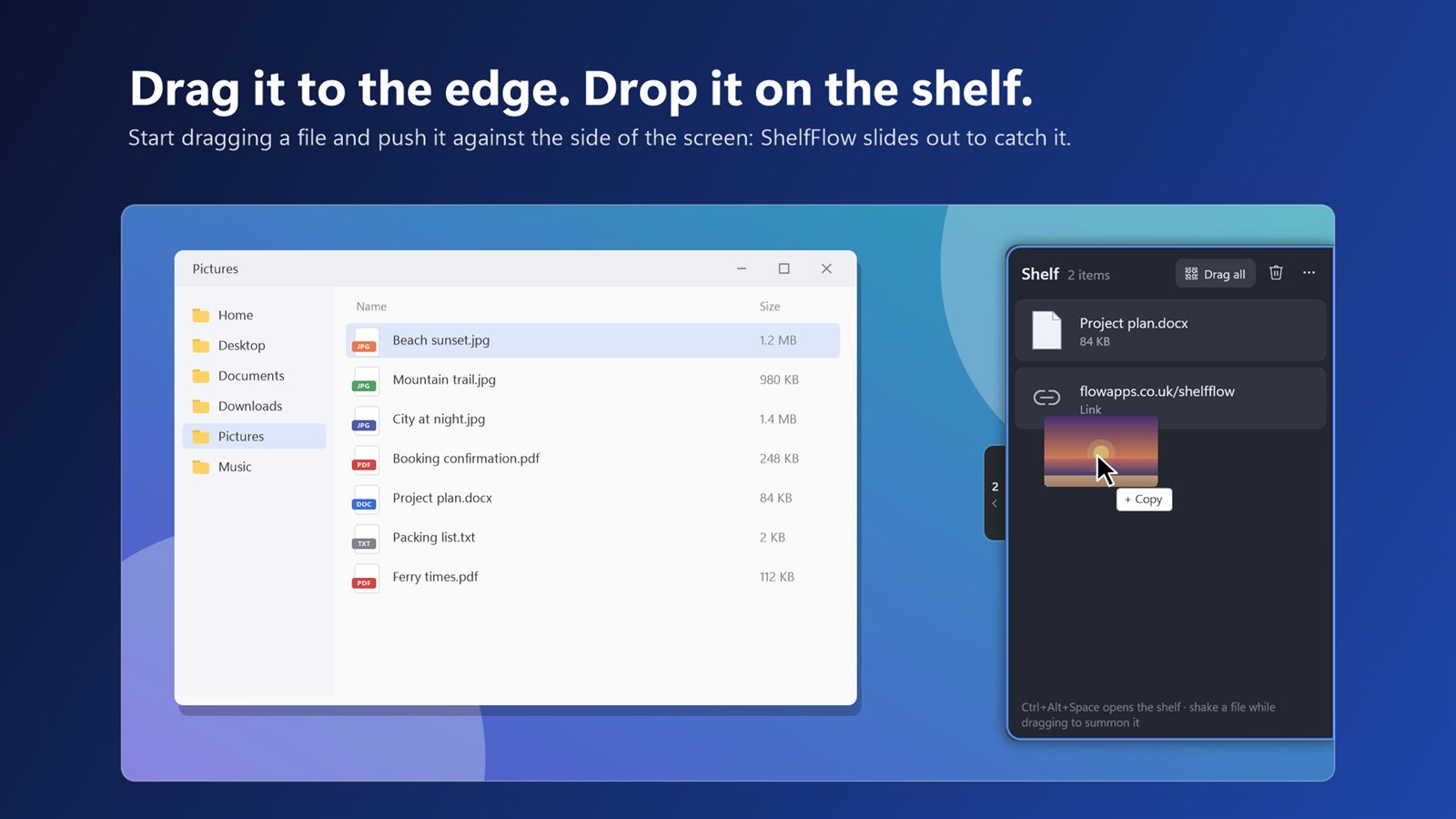
- Drag a file to the edge of the screen and a shelf slides out to catch it
- Holds files, folders, email attachments, pictures from the web, links and text
- Shake the mouse mid-drag, or press Ctrl + Alt + Space, to call it up anywhere
15-day free trial, then £3.99 once
What you can count on
Pay once
Try free for 15 days, then a one-off price. No subscriptions, no adverts.
Private by design
No accounts, no tracking. Nothing ever leaves your PC.
Safe to install
Checked and signed by Microsoft, installed and updated by the Microsoft Store.
A real person
Email us and you'll hear back from the developer who built the app.
Try them free for 15 days
Every app works on Windows 11 and Windows 10, on Intel, AMD and Arm PCs.
