
 CornerFlow · Windows 11 & 10
Hot corners for Windows, like on a Mac.
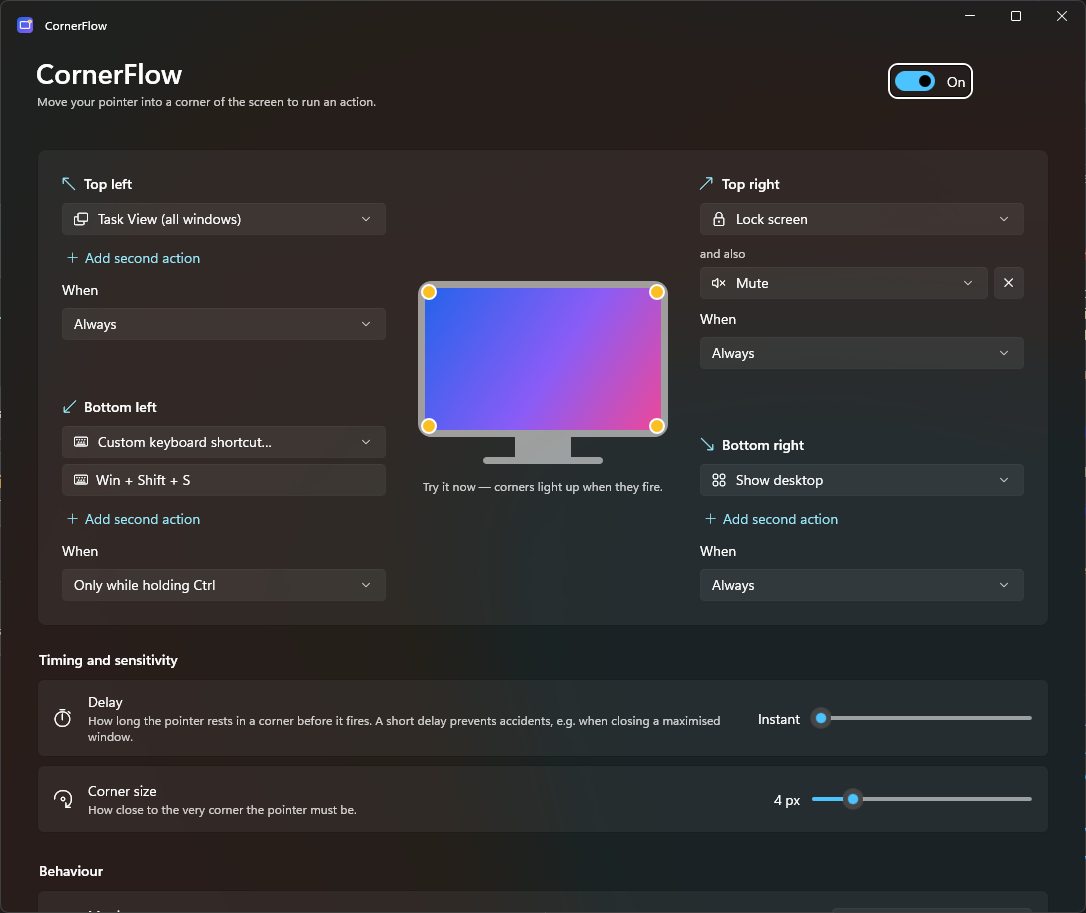
Flick your mouse into a corner of the screen to show the desktop, open Task View, lock your PC, mute your sound, or run any shortcut you like.
Free 15-day trial · then a one-off £4.99 · no subscription
What are hot corners?
Hot corners turn the four corners of your screen into shortcuts. Push the mouse pointer into a corner and something happens straight away: every window spreads out, the desktop clears, or the PC locks. Corners are the easiest places on screen to hit, because the pointer stops at the edge, so you don't have to aim.
Macs have had hot corners for years. Windows 8 had fixed corners too, but Windows 10 and Windows 11 dropped them and never added a way to choose your own. CornerFlow brings them back to Windows 11 and Windows 10, with the same actions as the Mac and a few extras.
Mac hot corner → CornerFlow on Windows
| On a Mac | With CornerFlow |
|---|---|
| Mission Control | Task View |
| Desktop | Show desktop |
| Launchpad | Start menu |
| Notification Centre | Notification Centre |
| Lock Screen | Lock screen |
| Put Display to Sleep | Displays off |
| Not on a Mac | Mute, media keys, apps, websites, any shortcut, or two actions at once |
Everything you missed from your Mac
Windows doesn't have customisable hot corners. CornerFlow adds them, plus a few things the Mac can't do.
Four hot corners
Task View, Show desktop, Start, Notification Centre, Lock, Sleep, displays off, media keys, apps, websites and more.
Two actions per corner
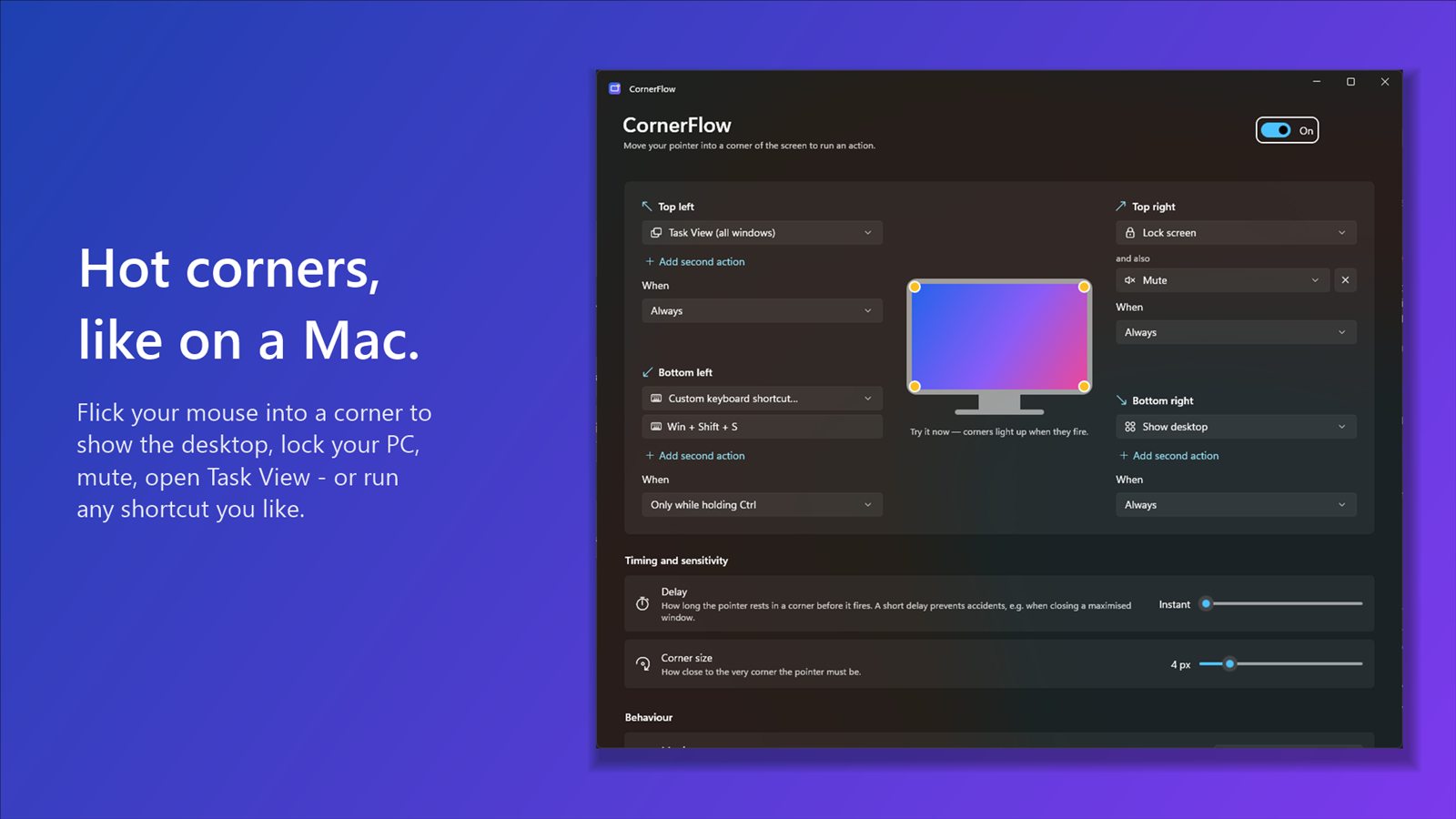
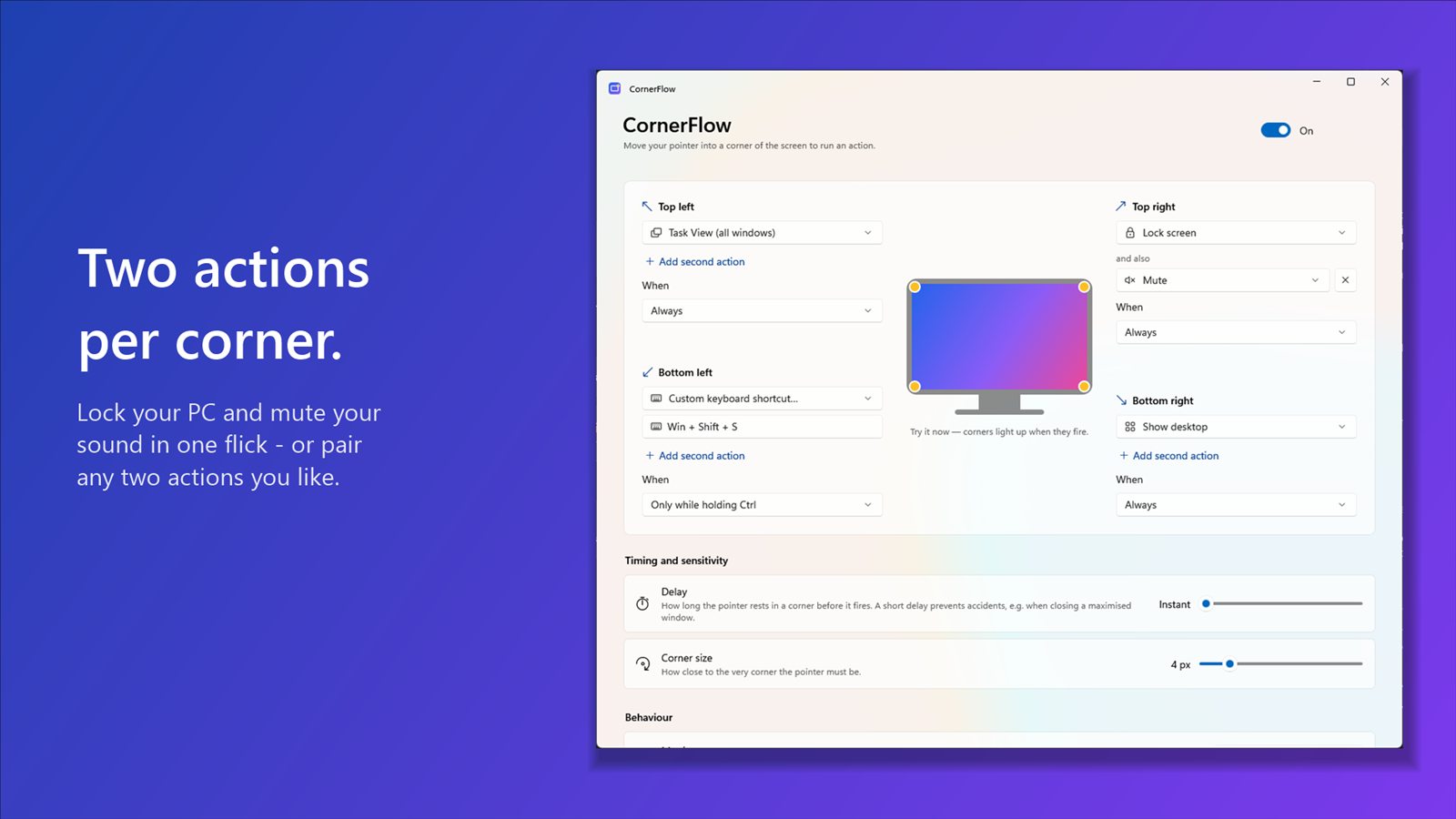
Lock your PC and mute your sound in one flick, or pair any two actions you like.
Your own shortcuts
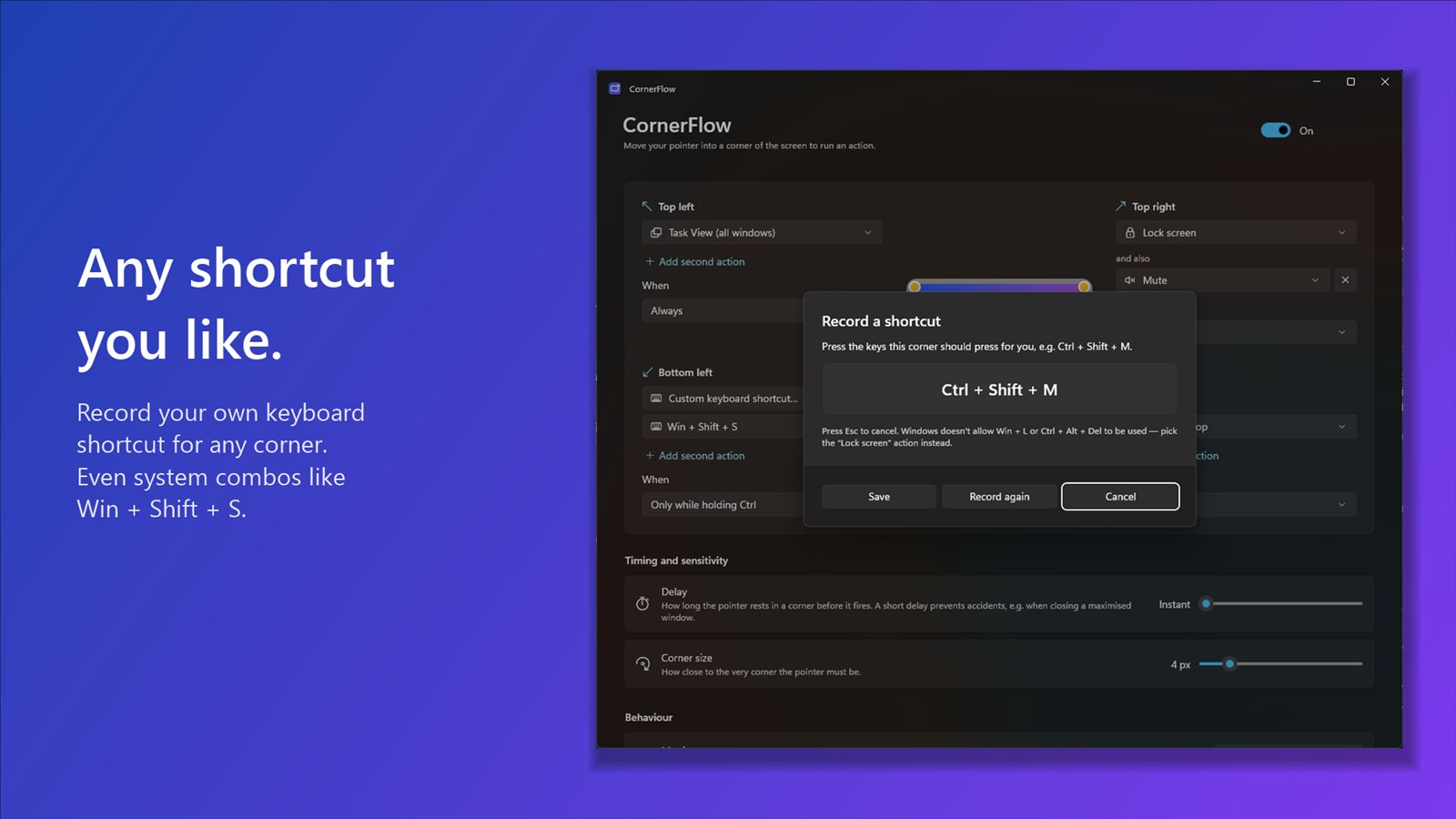
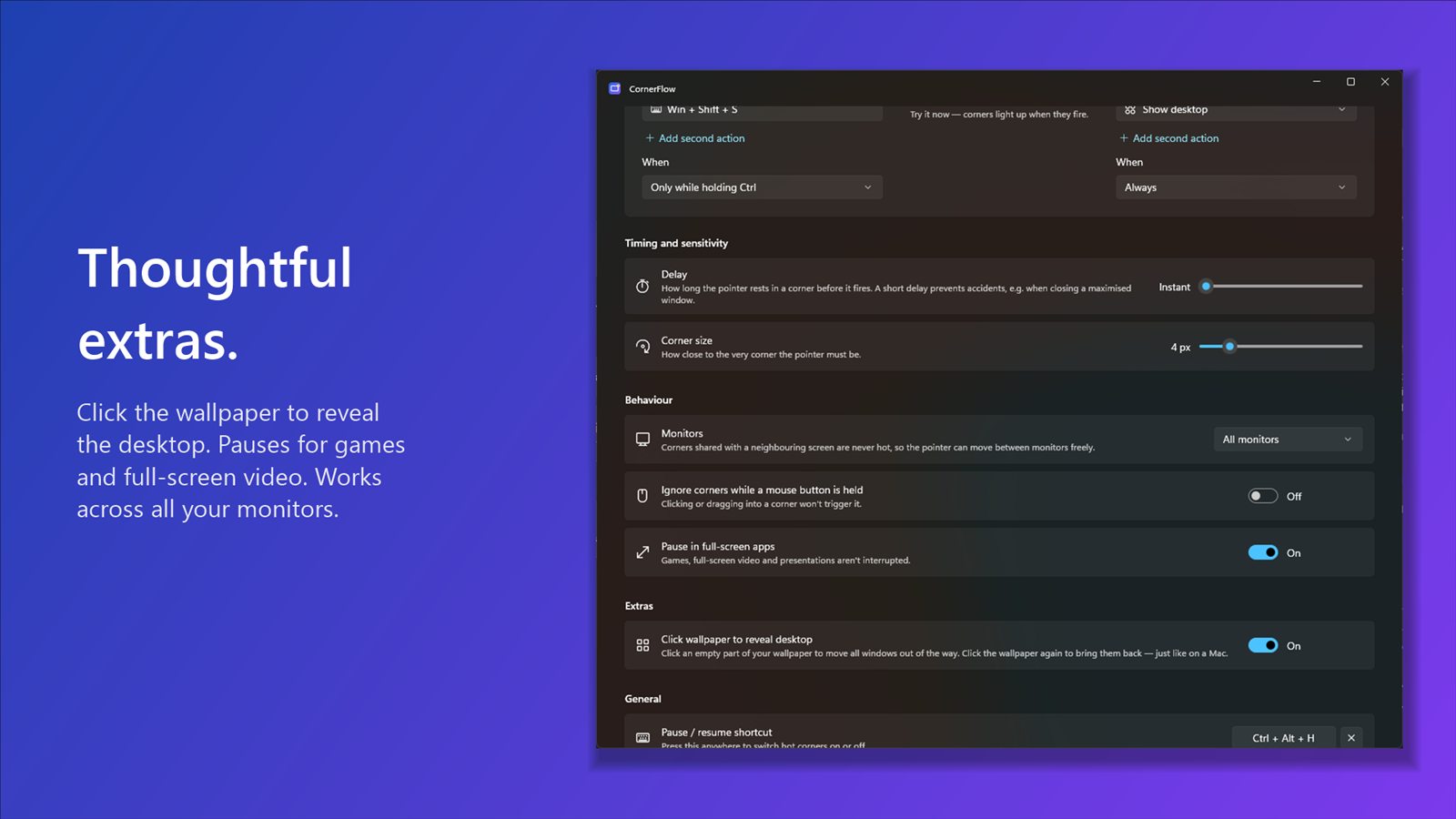
Record any keyboard shortcut for a corner, even system combos like Win + Shift + S.
Mac-style Show desktop
Go back to the corner, or click the wallpaper, and your windows come straight back in the same order.
No accidents
Optional "only while holding Ctrl / Alt / Shift / Win", an adjustable delay and corner size.
Stays out of the way
Pauses for games and full-screen video, handles multiple monitors, and uses next to no CPU.
Set up in under a minute
No accounts and no configuration files. Just pick what each corner should do.
Install from the Microsoft Store
Safe, signed and updated automatically by Windows.
Pick an action for each corner
Choose from the list, record a shortcut, or open an app or website.
Flick your mouse into a corner
That's it. CornerFlow starts with Windows and lives quietly in the tray.
Take a look
A clean, native Windows 11 design in light and dark mode.
Questions
Does Windows have hot corners like a Mac?
No. Windows 10 and 11 don't have customisable hot corners. CornerFlow adds them: choose an action for each corner and move your mouse there to run it.
How do I set up hot corners on Windows 11?
Install CornerFlow from the Microsoft Store, open it from the Start menu, and pick an action for each corner. It starts with Windows and runs in the system tray. Our step-by-step hot corners guide has suggested setups too.
Does it work on Windows 10?
Yes. CornerFlow works the same way on Windows 10 and Windows 11, on Intel, AMD and Arm PCs.
Is it free?
Every feature is free to try for 15 days. After that it's a one-off £4.99 through the Microsoft Store. No subscription, no adverts.
Will it fire by accident?
You can add a short delay, require a key (like Ctrl) to be held, and make clicks cancel a corner. Corners also pause automatically during games and full-screen video.
Does it work with two or more monitors?
Yes. Every screen's outer corners work, and corners shared between screens are ignored so you can move between monitors freely.
Why doesn't my shortcut work in some apps?
Windows doesn't let ordinary apps send keys to programs running as administrator while they're in front. Lock, Mute, Show desktop and the power actions still work everywhere. Windows also never lets any app press Win + L or Ctrl + Alt + Del, so use the built-in Lock screen action instead.
Is my data safe?
CornerFlow doesn't collect or send any data. It only checks where your pointer is at that moment. Read the privacy policy.
Try CornerFlow free for 15 days
Works on Windows 11 and Windows 10. Then it's £4.99, once.

Also from FlowApps: SpokeFlow
Hold the scroll wheel and flick for a ring of actions right where your pointer is. It pairs perfectly with CornerFlow.
Also from FlowApps: ShelfFlow
A drag and drop shelf for Windows. Drop files on it, go anywhere, then drag them back out.