
 ShelfFlow · Windows 11 & 10
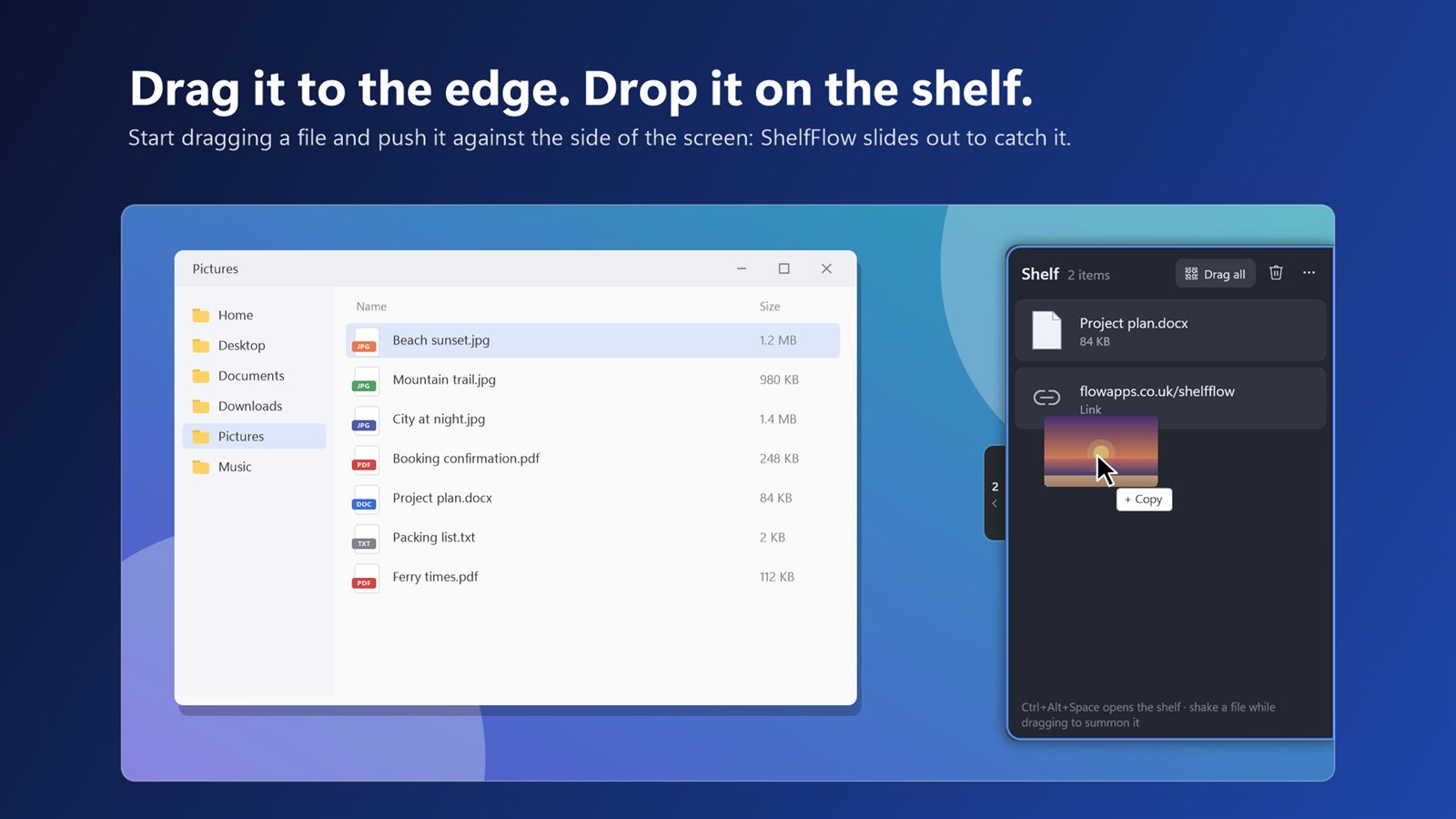
Drag it to the edge. Drop it on the shelf.
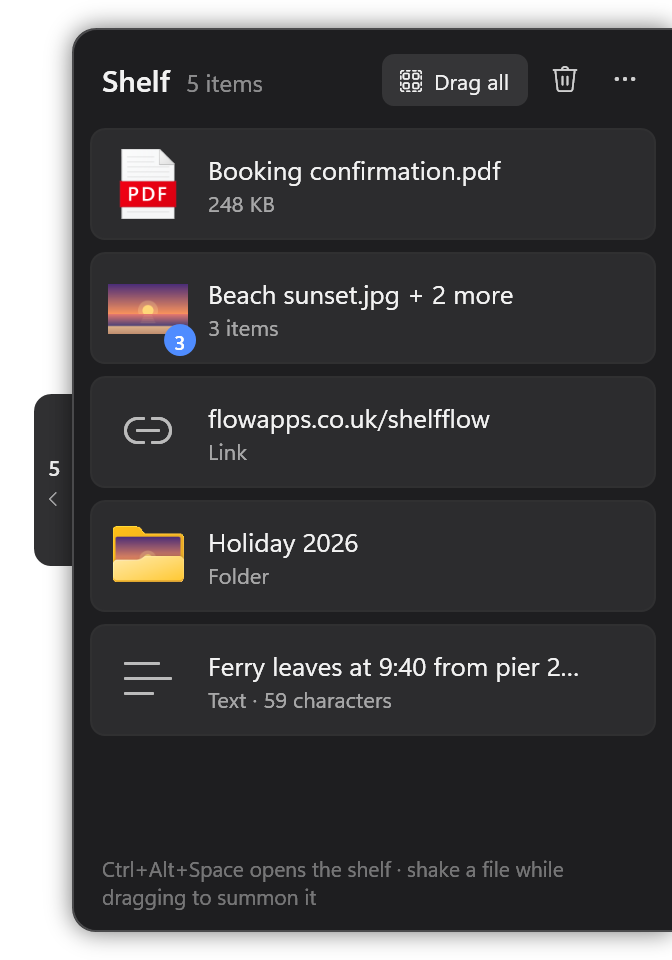
ShelfFlow is a drag and drop shelf for Windows. Push a file against the side of the screen and a shelf slides out to catch it. Go wherever you need to, then drag it back off.
Free 15-day trial · then a one-off £3.99 · no subscription
A place to put things down mid‑drag
Dragging a file somewhere awkward? The folder's buried, the window's behind another one, or the upload page isn't open yet. Put it on the shelf and take your time.
Drag to the edge
Start dragging a file and push it against the side of the screen. The shelf slides out. Drop it on.
Go where you need
Open the folder or app you actually wanted, switch windows, scroll, search. The shelf waits.
Drag it back out
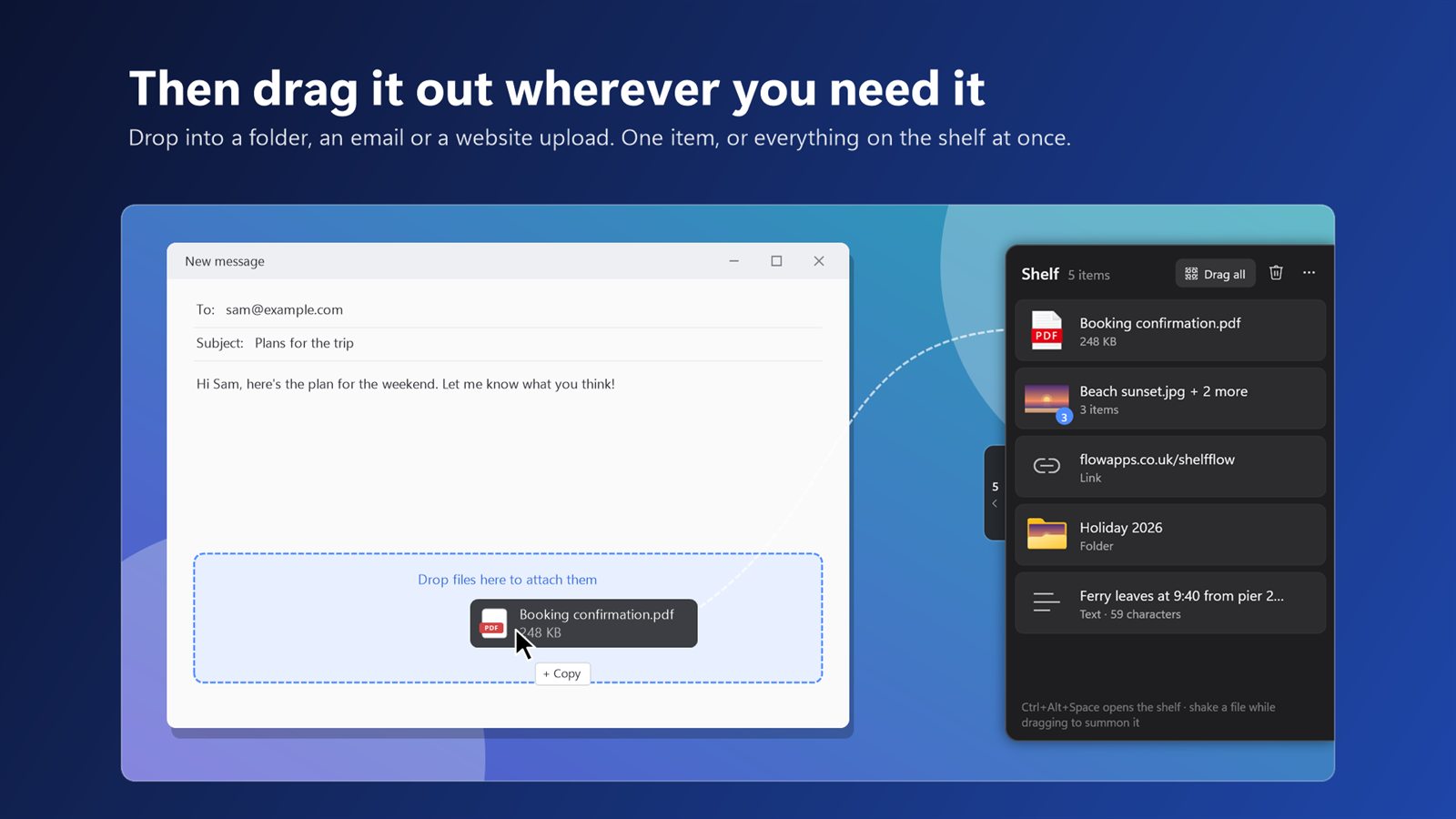
Drop it into a folder, an email, a chat or a website upload. One item, or everything at once.
Get to the shelf your way
However you work, the shelf is never more than a flick away.
Drag to the edge
Push a file against the right edge of the screen, or the left if you prefer.
Shake
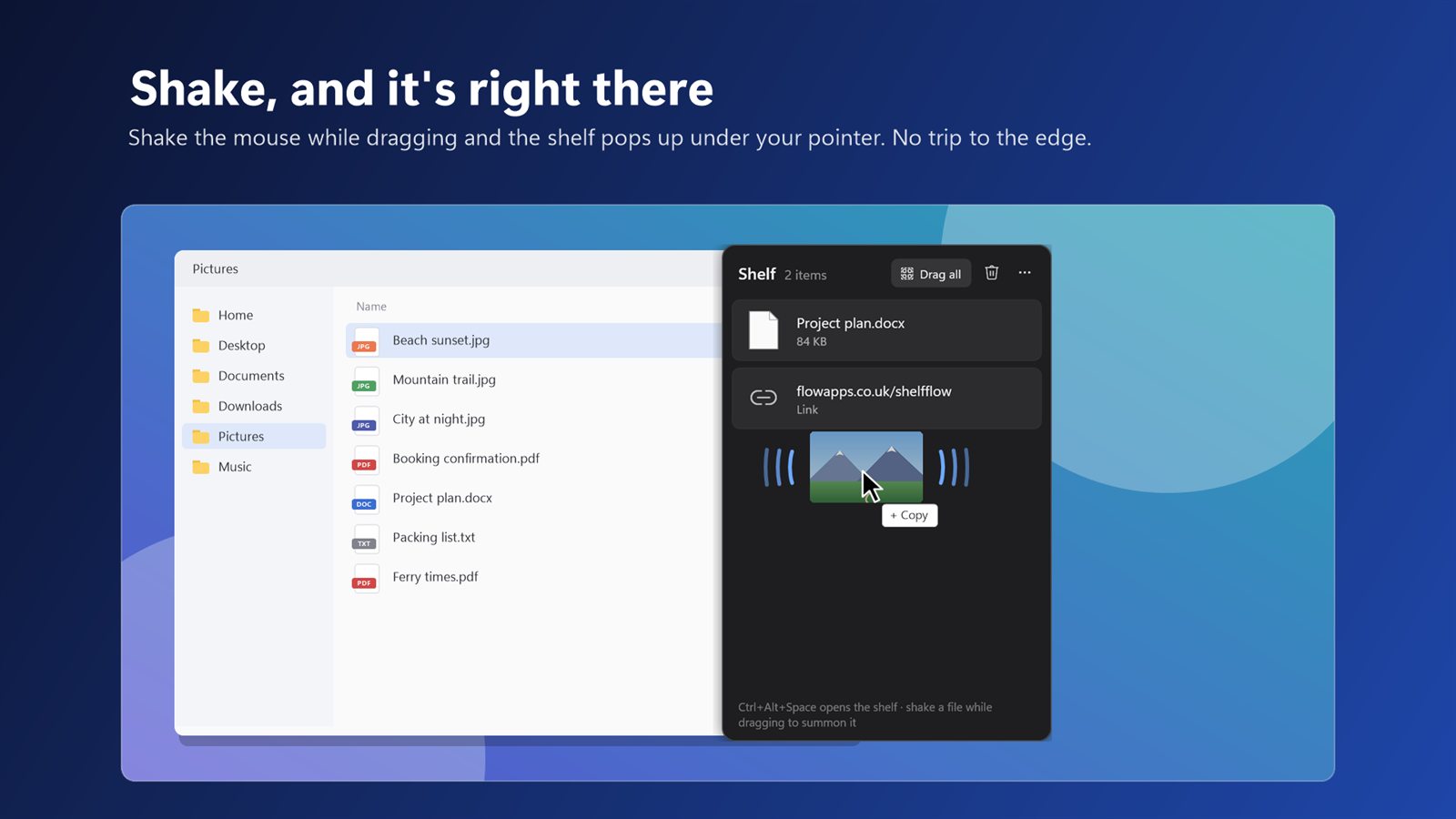
Shake the mouse while dragging and the shelf pops up right under your pointer.
Keyboard shortcut
Press Ctrl + Alt + Space to open the shelf any time, no drag needed.
A tab on the edge
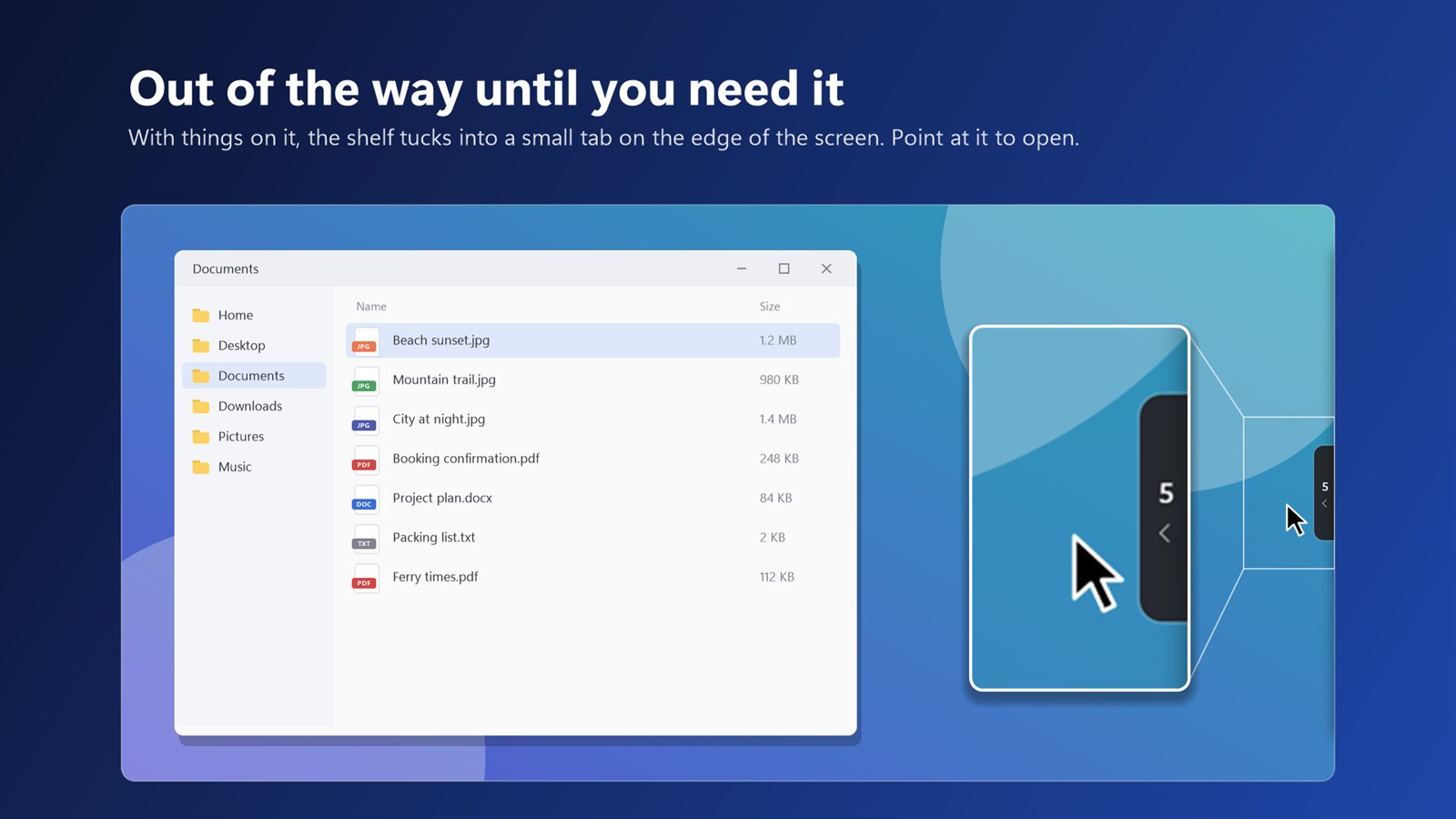
With things on it, the shelf tucks into a small tab. Point at it, or drag onto it, to open.
Collect things from anywhere
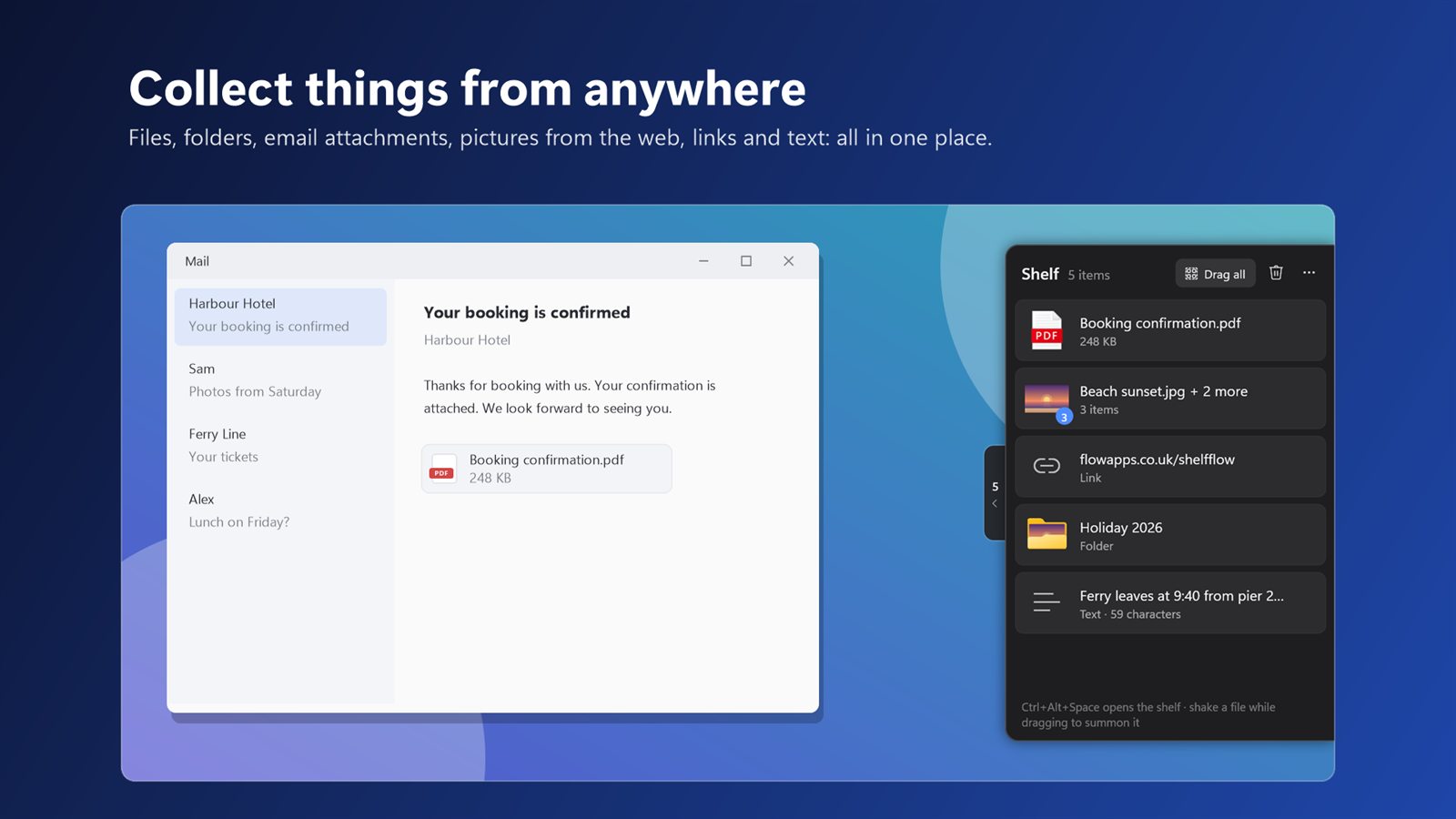
Files and folders from File Explorer and the desktop. Email attachments and files inside zip folders. Pictures from web pages. Links and text.
Gather everything for a job in one place, then drag it all into an email or an upload page in one go with Drag all.
Feels like part of Windows
Small, quick and quiet. It's there when you're dragging and gone when you're not.
Nothing copied or moved
The shelf just points at your files. Nothing changes until you drop it where it belongs.
Still there after a restart
Your shelf is saved on your PC, so you can pick up where you left off tomorrow.
Every monitor
Works on the outer edge of each screen, on the right or the left.
One item or all of them
Drag a single card off, or everything on the shelf at once. Double-click to open, right-click to show it in its folder.
Starts with Windows
Lives quietly in the system tray, with no window or taskbar button getting in the way.
Private
No accounts, no ads, no tracking. Nothing on your shelf ever leaves your PC.
Take a look
Questions
Is there a drag and drop shelf for Windows?
Windows doesn't have one built in. ShelfFlow adds one: drag a file to the edge of the screen and a shelf slides out. Drop it there, go wherever you need, then drag it back off.
Does it copy or move my files?
No. For files and folders, the shelf only remembers where they are, so nothing is copied or moved until you drop it somewhere. Things that aren't files yet, like an email attachment or a picture from a web page, are saved in the app's own storage so you can drag them out later. Those copies are tidied away automatically a day after they leave the shelf.
Can I put email attachments on it?
Yes. Drag an attachment out of Outlook, or a file out of a zip folder, and it lands on the shelf as a real file you can drag anywhere. Whole emails aren't supported yet.
What happens to an item after I drag it out?
By default it leaves the shelf once it's been dropped somewhere. If you'd rather keep it there, change that under … on the shelf.
The shelf doesn't slide out on one of my monitors.
ShelfFlow uses each screen's outer edge. Where two monitors meet, that edge is shared, so it's left alone and your pointer can cross freely. Shake the mouse while dragging, or press Ctrl + Alt + Space, to open the shelf anywhere.
Ctrl + Alt + Space doesn't open it.
Another program is probably using that shortcut, so ShelfFlow switches to Ctrl + Alt + S, or Ctrl + Alt + F12 if that's taken too. The bottom of the shelf shows which one is active.
Is it free?
Every feature is free to try for 15 days. After that it's a one-off £3.99 through the Microsoft Store. If the trial ends, the shelf stops taking new things, but anything already on it can still be dragged off.
Is my data safe?
ShelfFlow doesn't collect or send any data. Your shelf is stored on your PC and never leaves it. Read the privacy policy.
Try ShelfFlow free for 15 days
Works on Windows 11 and Windows 10. Then it's £3.99, once.

Also from FlowApps: CornerFlow
Mac-style hot corners for Windows. Flick into a corner to show the desktop, open Task View or lock your PC.

Also from FlowApps: SpokeFlow
Hold the scroll wheel and flick for a ring of actions right where your pointer is.